
A communication error on an OBD2 scanner is not the same as a diagnostic trouble code. It means the scanner failed to establish or maintain a data link with the vehicle’s control modules, and the cause is almost never the scanner alone. Understanding what each error type actually indicates saves you from misdiagnosing the tool when the real problem is the vehicle, the protocol, or the connection.
Why Communication Errors Happen in the First Place
OBD2 communication depends on a functioning data bus, a properly powered vehicle network, and a scanner that speaks the same protocol as the target module. When any part of that chain breaks down, you get a communication error instead of data. The most common cause is a low or failing 12-volt battery. The OBD2 port draws power directly from the battery, and when voltage drops below roughly 11.5 volts, some modules stop responding entirely. Corroded pins at the OBD2 port are the second most frequent cause. Pin 4 is chassis ground, pin 16 is battery positive, and pins 6 and 14 carry CAN High and CAN Low signals. Even minor corrosion on those pins can create enough resistance to drop the signal below the module’s acceptance threshold. A third common cause is a blown fuse on the OBD2 circuit. Most vehicles use a fuse labeled ‘Cigar Lighter,’ ‘OBD,’ or ‘Accessory’ that feeds the port. Pulling that fuse and testing it with a meter takes less than two minutes and rules out a completely dead port before you go any further.
Decoding the Specific Error Messages
Different scanners display communication failures in different ways, but the underlying meaning falls into a small number of categories. ‘No Communication’ or ‘Link Error’ means the scanner could not initiate any handshake with the vehicle. This points to a dead port, a protocol mismatch, or a module that is powered down. ‘Communication Timeout’ means contact was made but the module stopped responding mid-session. This typically points to an intermittent wiring fault, a module that is overloaded with requests, or a scanner sending commands faster than the module can process them. ‘Protocol Not Supported’ means the scanner sent an initialization request using a protocol the vehicle does not recognize. Pre-2008 vehicles may use ISO 9141-2 or KWP2000 instead of CAN, and not all scanners auto-detect those older protocols. ‘Module Not Responding’ is more specific than ‘No Communication’ because it means the scanner reached the bus but one particular module did not answer. That module may have a dedicated fuse, a sleep-mode issue, or a hardware fault independent of the main OBD2 circuit. Each of these errors points in a different diagnostic direction, which is why reading the exact message matters before you touch anything.
Protocol Mismatches and Newer Vehicle Architecture
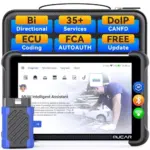
The shift from classic CAN to newer bus architectures is now causing communication errors on vehicles that worked fine with a scanner just a few years ago. CAN FD (Controller Area Network Flexible Data-Rate) runs at data rates up to 8 Mbps compared to the 500 kbps ceiling of standard CAN, and most scanners built before 2020 cannot negotiate that speed. The result is a communication timeout or a protocol error even though the OBD2 port is physically functional. DoIP (Diagnostics over Internet Protocol) is a separate shift affecting vehicles built on Ethernet-based architectures, most commonly post-2020 models from BMW, Mercedes-Benz, and Volkswagen Group. A standard OBD2 scanner will either time out or return a ‘link error’ when attempting to connect to a DoIP module because the underlying transport layer is Ethernet, not CAN (the OBD2 scanners with DoIP support covers which hardware actually handles this architecture). If you are seeing consistent communication errors on a newer vehicle and the port checks out electrically, protocol support is the next thing to verify against your scanner’s spec sheet.
Systematic Troubleshooting Steps That Actually Work
Start with the basics before replacing anything. Measure battery voltage at the terminals with the ignition on but engine off. If you read below 11.8 volts, charge the battery and retest. Next, inspect the OBD2 port with a flashlight and look for bent, pushed-back, or corroded pins. A dental pick can straighten a bent pin without damaging the housing. Pull the fuse for the OBD2 circuit and confirm continuity. If the port has power and ground but the scanner still returns no communication, try a known-good scanner on the same vehicle. If the second scanner also fails, the problem is the vehicle, not your tool. If your scanner fails on this vehicle but works on another, check whether the vehicle uses a protocol your scanner does not support. For intermittent timeouts that appear only on specific modules, disconnect the battery for 10 minutes to allow modules to fully reset before retesting. Scanners with active test capability let you ping individual modules by address, which isolates the exact module with the fault rather than treating the entire network as suspect. Comparing results across multiple attempts and noting which modules respond consistently versus intermittently will point you toward a wiring fault or a failing module far faster than replacing parts at random. The diagnostic scanners reviewed here include models that display bus traffic and module response times, which makes intermittent faults visible during live testing.
Communication errors are the scanner’s way of telling you it cannot complete a conversation, not necessarily that the conversation is impossible. The fix depends entirely on whether the failure is electrical, protocol-based, or module-specific, and each category has a clear set of checks that isolate the cause without guesswork. Work through voltage, fuses, and port condition first, then verify protocol compatibility before drawing any conclusions about the scanner itself. Most communication errors resolve at the electrical level before the protocol level ever becomes relevant (the scanners built for CAN FD networks are the exception, where hardware capability is the limiting factor from the start).
Affiliate Disclosure
This post contains affiliate links. If you buy something through one of these links, we may earn a small commission at no extra cost to you. We only recommend products and services we trust. Thank you for supporting this site!