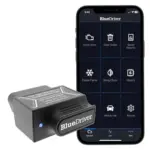

Wireless OBD2 adapters sit between your car’s diagnostic port and your phone, translating raw vehicle data into something an app can display. Understanding how that communication chain works helps you choose the right adapter, troubleshoot connection failures, and set realistic expectations about data speed and reliability. The technology is straightforward once you break it into its component layers.
The OBD2 Port Side: What the Adapter Is Actually Reading
Every OBD2-compliant vehicle manufactured after 1996 exposes diagnostic data through a 16-pin port, typically located under the dashboard on the driver’s side. When you plug a wireless adapter into that port, it draws power directly from the vehicle (pins 4 and 16 supply ground and 12V battery power) and connects electrically to the car’s internal communication bus.
Most modern vehicles use CAN bus (Controller Area Network) as their primary communication protocol, running at either 250 kbps or 500 kbps. Older vehicles may use ISO 9141-2, KWP2000, or SAE J1850 VPW or PWM instead. The adapter contains a microcontroller with an ELM327 chip or a proprietary equivalent that knows how to speak all of these protocols and can auto-detect which one the vehicle requires.
Once the chip negotiates the correct protocol with the vehicle’s ECU, it sends request frames to specific parameter IDs (PIDs) and waits for response frames. Those raw hexadecimal responses are then converted into human-readable values like RPM, coolant temperature, or fuel trim. The adapter holds those converted values in memory momentarily before transmitting them wirelessly to your phone. The vehicle side of the equation is deterministic and relatively simple; the wireless side is where most real-world variation occurs.
Bluetooth Classic vs. Bluetooth Low Energy vs. Wi-Fi
Wireless OBD2 adapters use one of three radio technologies to reach your phone: Bluetooth Classic (BR/EDR), Bluetooth Low Energy (BLE), or Wi-Fi. Each has different pairing behavior, throughput, and compatibility consequences.
Bluetooth Classic operates on the Serial Port Profile (SPP), which creates a virtual COM port between the adapter and the device. Android has supported SPP natively for years, which is why most budget ELM327 adapters work immediately on Android phones. iPhones dropped SPP support before Bluetooth 4.0 became standard, so Classic Bluetooth adapters are functionally incompatible with iOS without a workaround.
Bluetooth Low Energy (BLE) uses a GATT-based communication model instead of SPP. It is supported on both Android and iOS, making BLE adapters the practical choice for iPhone users. The tradeoff is slightly higher latency per packet compared to Classic Bluetooth, though for most diagnostic tasks this difference is negligible. Adapters like the Viecar and certain Veepeak models use BLE specifically to maintain cross-platform compatibility.
Wi-Fi adapters create their own access point, and your phone connects to it as it would a router. This works on both iOS and Android without profile restrictions, which is why early iPhone-compatible OBD2 adapters defaulted to Wi-Fi. The downside is that your phone loses its normal internet connection while paired to the adapter’s network, since most phones cannot simultaneously maintain two Wi-Fi connections. The Wi-Fi OBD2 scanner options covers how different apps handle this network switching in practice.
How Data Moves From the Adapter to the App
Once the wireless link is established, the OBD2 app on your phone begins polling the adapter by sending PID request strings. A basic request looks like sending “010C” (the PID for engine RPM) over the wireless connection and waiting for a hex response, which the app then converts into an RPM value using a fixed formula.
The polling rate is constrained at multiple points. The vehicle’s ECU responds to each PID request at its own pace, typically between 20 and 100 milliseconds depending on the bus protocol and ECU load. The adapter then transmits that response wirelessly, adding another 10 to 50 milliseconds depending on radio type and interference. The app processes the incoming data and refreshes the display.
In practice, most Bluetooth and Wi-Fi OBD2 setups can reliably poll around 10 to 20 PIDs per second under ideal conditions. If you are running an app with 15 live data gauges on screen simultaneously, each gauge is being updated roughly once per second or faster, which feels smooth for monitoring purposes. Faster refresh rates require either a smaller set of active PIDs or a higher-end adapter with onboard processing that can batch responses more efficiently.
Apps like Torque Pro, Car Scanner, and OBD Fusion each manage PID queuing differently, which is why the same adapter can feel noticeably faster or slower depending on the app you are using. Adapters with internal buffers handle burst requests better than stripped-down chips that process one request at a time.
Common Failure Points and What They Mean
Most wireless OBD2 connection failures fall into a predictable set of categories. Understanding which layer of the communication chain is failing saves time and prevents unnecessary adapter replacements.
Pairing failures at the Bluetooth level usually point to a protocol mismatch, such as trying to use a Classic Bluetooth adapter with an iPhone, or an app that does not support BLE connecting to a BLE-only adapter. The fix is matching the adapter’s radio type to both the phone’s OS and the app’s supported connection modes before purchasing.
Disconnections during a session often come from RF interference, low adapter power due to a weak vehicle battery, or the phone’s operating system aggressively managing background connections to conserve battery. Android in particular varies significantly across manufacturers in how it handles background Bluetooth keepalive, so the same adapter can stay connected reliably on one phone and drop every five minutes on another.
Slow or frozen live data is usually a polling rate problem rather than a wireless problem. Requesting too many PIDs simultaneously causes the queue to back up at the ECU level, not the radio level. Reducing the number of active gauges typically resolves this immediately.
Adapters with counterfeit ELM327 chips (a widespread problem in the under-$10 market) often connect successfully but return corrupted or incomplete data, fail on certain protocols, or disconnect when the ECU sends unexpected response frames. For a clearer picture of which adapter types hold up across different vehicle types and use cases, the Bluetooth OBD2 scanner guide documents real-world reliability patterns across tested models. Verifying chip authenticity before purchase, or buying from established brands, eliminates most of these issues.
Wireless OBD2 communication is a four-layer process: the vehicle’s bus protocol, the adapter’s chip translating that data, the radio link carrying it to your phone, and the app managing PID requests and display. Problems at any layer look similar on the surface but have different causes and fixes. Matching the adapter’s radio type to your phone’s OS, keeping the active PID count reasonable, and avoiding counterfeit chips resolves the vast majority of real-world issues. The technology itself is mature and reliable when those fundamentals are correct. The OBD2 scanner options reviewed here can help narrow down which adapters implement these communication layers most consistently.
Affiliate Disclosure
This post contains affiliate links. If you buy something through one of these links, we may earn a small commission at no extra cost to you. We only recommend products and services we trust. Thank you for supporting this site!