
Choosing between a Bluetooth and Wi-Fi OBD2 adapter is not a matter of personal preference — it is a decision with measurable consequences for connection stability, app compatibility, and data throughput. The differences show up immediately when you try to log live sensor data at 10 Hz or pair the adapter with an iPhone for the first time. This breakdown covers the specific technical factors that determine which protocol actually fits your use case.
How Each Protocol Establishes a Connection
Bluetooth OBD2 adapters use Classic Bluetooth (SPP — Serial Port Profile) or Bluetooth Low Energy (BLE, also called Bluetooth 4.0+) to create a direct peer-to-peer link between the adapter and your phone or tablet. Classic Bluetooth pairs once and reconnects automatically on subsequent sessions. BLE requires less power but introduces slightly higher protocol overhead per packet.
Wi-Fi adapters work differently. They broadcast their own 2.4 GHz access point, and your phone connects to that network the same way it would join any Wi-Fi hotspot. The phone cannot simultaneously maintain its cellular data connection on most Android devices and many iPhones when connected to the adapter’s network, because iOS and Android prioritize the active Wi-Fi interface for all traffic.
In practical terms, Bluetooth connections initialize in 2 to 5 seconds after pairing. Wi-Fi adapters typically take 8 to 15 seconds to associate, assign a DHCP address, and allow the diagnostic app to open a TCP socket to the adapter (usually on port 35000 or 23). Neither protocol requires a router or external infrastructure — both are direct device-to-device links — but their connection sequences and OS-level handling differ enough to affect which apps work reliably with each.
Data Throughput and Latency Under Load
Raw throughput rarely matters for reading a single fault code. It matters the moment you start logging multiple PIDs simultaneously — engine load, coolant temp, MAF reading, fuel trim, and O2 voltage at the same time.
Classic Bluetooth over SPP delivers effective throughput of roughly 100 to 200 Kbps in real-world OBD2 use, with latency per request-response cycle around 30 to 60 ms. BLE-based adapters introduce additional framing overhead and typically show 60 to 120 ms round-trip latency per PID query, which limits multi-PID logging rates.
Wi-Fi adapters communicate via TCP/IP over 802.11b/g/n. The raw link speed is far higher (up to 54 Mbps on 802.11g), but the OBD2 communication layer — ELM327 command-response protocol — is the actual bottleneck, not the radio. In practice, a Wi-Fi adapter and a Classic Bluetooth adapter pulling the same PID list from the same ECU will return nearly identical polling rates, typically 3 to 10 PIDs per second depending on the vehicle’s CAN bus speed and ECU response time.
The real-world latency advantage of Wi-Fi shows up in TCP stream-based apps that batch commands rather than sending individual AT queries, which some performance logging applications exploit to push past 20 PIDs per second on fast CAN vehicles.
iOS and Android Compatibility Differences
This is where the protocol choice has the most direct impact on which adapter you can actually use. Apple restricted third-party access to the Classic Bluetooth SPP profile on iOS starting with iOS 3. That restriction remains in effect. Any adapter marketed for iPhone use that relies on Classic Bluetooth will not work — the device simply will not appear in the Bluetooth pairing menu for SPP-based connections.
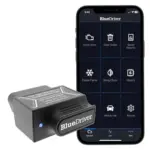
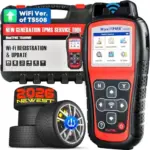
The workarounds are BLE-based adapters (which use the Core Bluetooth API that Apple does allow) and Wi-Fi adapters, which bypass the Bluetooth stack entirely and connect through the standard networking layer. This is why nearly every adapter listed specifically for iPhone use is either BLE or Wi-Fi. The scanner options verified for iPhone pairing follow this pattern without exception.
Android has no equivalent restriction. Classic Bluetooth SPP adapters work natively with Android’s Bluetooth stack, which is why the $10 to $20 ELM327 clone market is almost entirely Android-targeted. BLE adapters work on Android 4.3 and later. Wi-Fi adapters work on Android but require manually disabling the “switch to mobile data” setting that Android activates when it detects a Wi-Fi network with no internet access — a step many users miss and mistake for an adapter fault.
Range, Interference, and Real-World Reliability
Bluetooth Class 2 radios, which cover most OBD2 adapters, have a nominal range of 10 meters (33 feet). In practice, with a phone sitting in a cup holder 1 meter from the OBD2 port, interference is rarely a problem. Problems appear when the phone is in a jacket pocket outside the vehicle or when other Bluetooth devices (earbuds, steering wheel controls) are active and contending for the radio.
Wi-Fi adapters operate on 2.4 GHz, the same band used by 802.11b/g/n routers, Bluetooth itself, and microwave ovens. In a parking lot with heavy Wi-Fi congestion, some Wi-Fi adapters show increased TCP retransmissions that manifest as brief freezes in the diagnostic app’s live data stream. This is uncommon but reproducible in dense urban environments.
Bluetooth’s frequency-hopping spread spectrum (FHSS) makes it more resistant to narrowband 2.4 GHz interference than Wi-Fi’s fixed-channel approach, though modern Wi-Fi adapters mitigate this with automatic channel selection.
For a shop environment where multiple adapters and phones are running simultaneously, Bluetooth scales better because each pair maintains its own dedicated piconet. Wi-Fi adapters acting as standalone access points can create channel congestion when several are running within range of each other (see the scanner guide for small shop environments for how this plays out in practice).
Bluetooth Classic is the default choice for Android users who want fast pairing and proven compatibility across hundreds of apps. BLE or Wi-Fi is required for iPhone. Wi-Fi delivers no meaningful throughput advantage over Classic Bluetooth in standard OBD2 use, but it does enable TCP-based apps to batch queries more efficiently on compatible vehicles. The guide to app-based OBD2 scanners covers how specific apps interact with each protocol in detail. Match the protocol to your OS and app stack first — everything else follows from that decision.
Affiliate Disclosure
This post contains affiliate links. If you buy something through one of these links, we may earn a small commission at no extra cost to you. We only recommend products and services we trust. Thank you for supporting this site!