
Classic CAN, standardized under ISO 11898-1, tops out at 1 Mbps and carries a maximum payload of 8 bytes per frame. CAN FD (Flexible Data-rate) extends that to 8 Mbps in the data phase and allows payloads up to 64 bytes per frame. Those two changes sound incremental, but they fundamentally shift what a diagnostic session looks like on vehicles built after 2019.
What CAN FD Actually Changes at the Bus Level
Classic CAN sends arbitration, control, data, and CRC fields all at the same bit rate. CAN FD splits the frame into two speed phases: the arbitration phase runs at the standard rate (typically 500 kbps) to preserve bus compatibility, and the data phase switches to a faster rate, up to 8 Mbps, for the payload and CRC fields. This dual-rate structure is called bit rate switching (BRS). The result is that a single CAN FD frame can carry 64 bytes of data instead of 8, and it can transmit that data up to eight times faster. For ECU firmware updates and large sensor arrays, the difference is measurable in seconds, not milliseconds. There is also a change to the CRC algorithm. Classic CAN uses a 15-bit CRC. CAN FD uses a 17-bit or 21-bit CRC depending on payload length, which provides better error detection coverage for longer frames on electrically noisy automotive bus environments. Transceivers must also support the higher slew rates needed for 8 Mbps signaling, which is why older hardware simply cannot decode CAN FD traffic even when the cable and connector are identical.
Why Existing Scan Tools Fail on CAN FD Vehicles
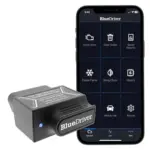
A classic CAN controller samples the bus at a fixed rate. When it encounters a CAN FD frame, the bit rate switch mid-frame creates timing violations that the controller reads as errors. Instead of decoding the message, the controller flags a fault or drops the frame entirely. This means a scanner without CAN FD hardware will either show no data, show intermittent data, or trigger false bus-off errors when connected to a vehicle running CAN FD. The problem is not software-fixable through a firmware update to an old tool, because the CAN transceiver chip itself lacks the ability to handle dual-rate timing. This is a hardware limitation. OBD2 scanners sold before roughly 2020 were not designed with CAN FD transceivers. Many mid-range tools from 2021 and 2022 added CAN FD support in updated hardware revisions, but not all vendors were transparent about which revision a buyer was actually receiving. Vehicles using CAN FD as the primary diagnostic bus include post-2019 GM platforms (including the T1 truck architecture), certain BMW models from 2020 onward, and Stellantis platforms using the STLA Large and STLA Frame architectures. The scanners confirmed to handle CAN FD traffic covers which current tools have verified hardware support.
How Diagnostic Sessions Differ Under CAN FD
On classic CAN, a UDS (Unified Diagnostic Services) session using ISO 15765-2 transport protocol segments large payloads across multiple frames, each capped at 8 bytes of data. Reading a snapshot of live data from 20 PIDs requires multiple request-response cycles with flow control frames in between. Under CAN FD, ISO 15765-2 was updated (the 2016 revision) to support up to 64-byte single frames. That means many live data requests that previously required multi-frame segmentation now fit inside a single request and a single response frame. Practically, this reduces round-trip latency for large data pulls. ECU flashing also benefits directly because firmware images that previously took 20 to 40 minutes over classic CAN can complete in under 10 minutes on CAN FD, depending on file size and ECU processing speed (the way modern vehicles handle scanner-to-ECU session negotiation is documented in detail for anyone working across multiple platforms and model years). Diagnostic scan tools need to negotiate session parameters correctly at session startup, including specifying the CAN FD data rate during link control, or the ECU will default to classic CAN rates and the speed advantage disappears entirely.
Coexistence, Mixed Networks, and What Technicians Need to Know
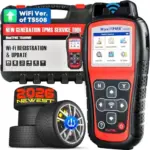
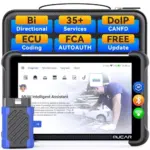
Most current CAN FD deployments do not replace classic CAN across the entire vehicle. They run both protocols simultaneously. Body control modules, HVAC systems, and lower-priority nodes typically stay on classic CAN segments. Powertrain, ADAS, and high-bandwidth systems move to CAN FD. A gateway ECU bridges the two networks, translating between protocols where needed. For a technician, this means a single vehicle may respond differently depending on which ECU the scanner is addressing. Querying a body control module might work fine on an older tool; querying the engine control module on the same vehicle might return no data or a comm error if the tool lacks CAN FD support. Understanding this network topology matters when interpreting no-response conditions. A blank screen during a scan is not always a dead module. It may simply be a protocol mismatch. Bidirectional diagnostic tools that support both classic CAN and CAN FD allow the technician to rule out protocol mismatch before assuming module failure. The gap between what a basic code reader can access and what a full-system scanner can reach is wider on CAN FD vehicles than it was on classic CAN platforms, because more subsystems are gated behind the faster, protocol-specific bus. Shops encountering unexplained no-communication faults on post-2020 vehicles should confirm CAN FD support as the first diagnostic step, not the last. The bidirectional scan tools reviewed here include notes on which models handle mixed-protocol vehicle networks.
CAN FD is not a future consideration for shops working on late-model vehicles. It is already the primary diagnostic bus on several high-volume platforms. The 64-byte payload limit, dual-rate bit timing, and updated CRC requirements mean hardware compatibility is a hard requirement, not a preference. Confirming that a scan tool has a CAN FD-capable transceiver before purchasing saves the frustration of unexplained no-comm results on vehicles that are otherwise fully functional.
Affiliate Disclosure
This post contains affiliate links. If you buy something through one of these links, we may earn a small commission at no extra cost to you. We only recommend products and services we trust. Thank you for supporting this site!