
If you’ve ever paid a shop $100 just to find out which warning light triggered on your dash, you already know why a reliable OBD2 scanner belongs in your car. BlueDriver scanners in particular have built a strong reputation among DIY mechanics for their deep diagnostic data and no-subscription model, but picking the right one depends on whether you need basic code reading, full ABS and SRS system access, or a tool that doubles as a battery tester. In this review, we break down the BlueDriver OBD2 Bluetooth Scanner No Subscription ABS SRS, the BlueDriver Pro OBD2 Bluetooth Scanner No Subscription, and the ANCEL AD410 PRO 2-in-1 OBD2 Scanner and Battery Tester so you can match the right tool to your actual needs and budget.
Quick Comparison
| # | Product | Key Features | Score | |
|---|---|---|---|---|
| 1 |
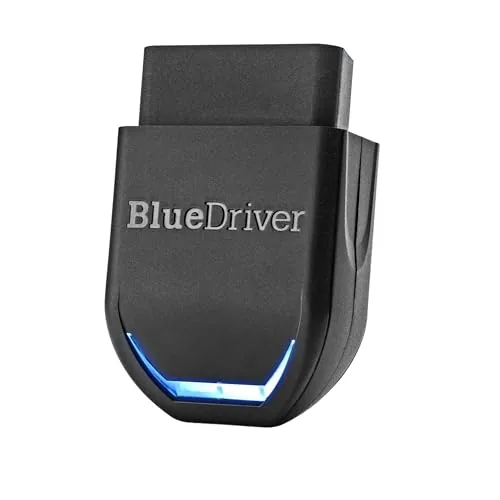 BlueDriver OBD2 Bluetooth Scanner No Subscription ABS SRS
|
|
8.5 ★★★★☆ | Check Price on Amazon Read full review ↓ |
| 2 |
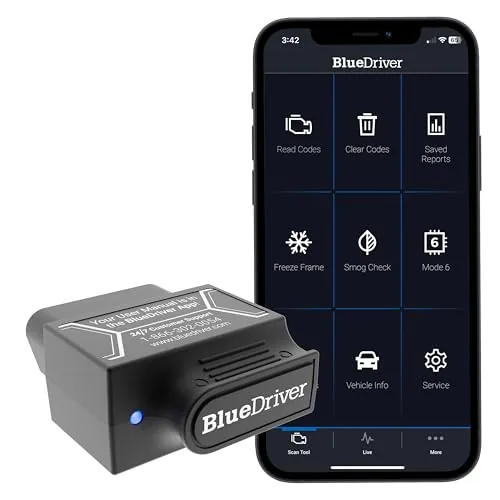 BlueDriver Pro OBD2 Bluetooth Scanner No Subscription
|
|
8.5 ★★★★☆ | Check Price on Amazon Read full review ↓ |
| 3 |
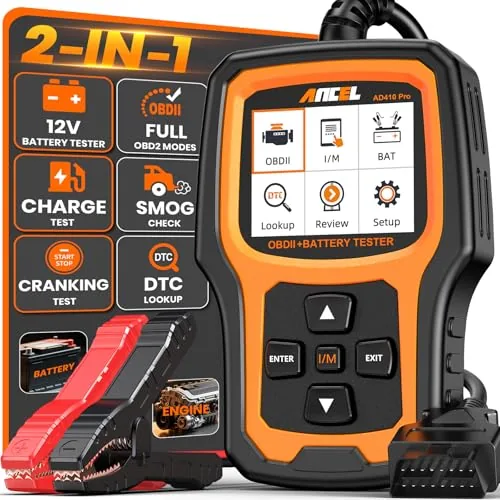 ANCEL AD410 PRO 2-in-1 OBD2 Scanner and Battery Tester
|
|
8.2 ★★★★☆ | Check Price on Amazon Read full review ↓ |
| 4 |
 ANCEL AD310 OBD2 Scanner with Full Protocol Support
|
|
7.8 ★★★★☆ | Check Price on Amazon Read full review ↓ |
| 5 |
 Veepeak OBDCheck BLE Bluetooth OBD II Scanner iOS Android
|
|
7.8 ★★★★☆ | Check Price on Amazon Read full review ↓ |
| 6 |
 TOPDON TopScan Lite Bidirectional OBD2 Scanner with AI
|
|
7.8 ★★★★☆ | Check Price on Amazon Read full review ↓ |
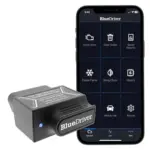
BlueDriver turns your smartphone into a professional-grade diagnostic tool that reads ABS, SRS, TPMS, and transmission codes beyond what basic readers access. One-time purchase includes VIN-matched repair reports written by technicians, live data monitoring, and free app updates. No wires, no subscriptions, and no recurring fees make this a strong long-term value for DIY mechanics.
Key Features
- Scans and clears Check Engine ABS SRS TPMS and transmission codes
- Provides technician-verified repair reports matched to your specific VIN
- Streams live vehicle data freeze frames smog readiness and Mode 6 results
- Connects wirelessly via Bluetooth to your phone or tablet
- Covers most major makes including GM Ford Toyota BMW and Mercedes
- Compatible with all gas vehicles 1996 and newer sold in North America
- Plugs directly into OBDII port with no cables or handheld hardware needed
- One-time purchase unlocks all features with no subscription or account required
✅ Pros
- Reads improved system codes like ABS and SRS that cheap readers skip
- VIN-specific repair reports reduce guesswork and unnecessary parts spending
- No subscription fees ever just a one-time 94.95 purchase
- Wireless Bluetooth connection removes cable clutter during diagnosis
- Free app updates keep compatibility current without added cost
❌ Cons
- Requires a smartphone or tablet to function no standalone screen included
- Diesel vehicles and hybrids may have limited or no improved code support
Why We Chose It
BlueDriver stands out because it combines professional-level code access including ABS, SRS, and TPMS with technician-verified fix data at a price well below standalone scan tools offering the same depth. The no-subscription model means the full feature set is available on day one and remains accessible without ongoing cost. For a Bluetooth OBD2 tool under $100, the breadth of vehicle coverage and quality of repair guidance is difficult to match.
Perfect For
DIY mechanics and car owners who want professional diagnostic depth without paying for a shop visit or committing to monthly software fees.
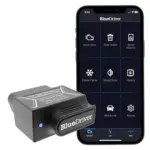
BlueDriver plugs into your OBD2 port and pairs wirelessly with your phone to read and clear codes across engine, ABS, SRS, airbag, TPMS, and transmission systems. It delivers VIN-matched repair reports written by technicians, plus live data monitoring and smog readiness checks. One flat purchase price covers all features and future app updates with no recurring fees.
Key Features
- Reads and clears Check Engine, ABS, SRS, TPMS, Transmission codes
- VIN-matched repair reports include causes and technician-confirmed fixes
- Live data monitoring, freeze frame capture, and Mode 6 test results
- Bluetooth connection to phone or tablet, no cables required
- Covers GM, Ford, Toyota, BMW, Honda, and 8 other major brands
- Compatible with all gas vehicles 1996 and newer sold in North America
- No subscription fees, free app updates, no data selling ever
✅ Pros
- Covers ABS, SRS, TPMS, and transmission beyond basic OBD2 readers
- Technician-verified repair reports matched to your specific VIN reduce guesswork
- One-time $139.95 purchase with no subscription or hidden fees
- Wireless Bluetooth setup takes under a minute with no extra hardware
- Free app updates extend value without additional cost over time
❌ Cons
- No support for diesel or electric vehicles limits coverage for some owners
- Requires a smartphone or tablet since there is no built-in screen
Why We Chose It
BlueDriver covers system-level diagnostics that $30 to $80 code readers skip entirely, including ABS and airbag faults, while the VIN-specific repair reports give actionable next steps rather than raw code definitions. The no-subscription model is a genuine differentiator at this price point, where most competitors charge annual fees for improved data access.
Perfect For
A DIY mechanic or cost-conscious car owner who wants shop-level diagnostic coverage across multiple systems without paying dealership or subscription fees.
The AD410 PRO combines engine fault diagnosis with battery, starter, and alternator testing in a single 60-dollar handheld tool. It reads and clears 42,000-plus DTCs, displays live data on waveform graphs, and checks I/M readiness so you know your car will pass emissions before you go. No phone app or laptop required.
Key Features
- Combined engine diagnostics and 12V battery system testing in one device
- Reads and clears 42,000-plus SAE DTCs with plain-language descriptions
- Battery health test plus cranking and charging system evaluation included
- I/M Readiness mode shows green or yellow compliance status before emissions test
- Streams 50-plus live sensor readings with waveform graphs and freeze frame data
- Plug-and-play via 16-pin OBD2 port, 2.4-inch screen, 10 languages supported
- Compatible with most 1996-plus gas and diesel vehicles, lifetime software updates included
✅ Pros
- Replaces two separate tools at a price point under 65 dollars
- Plain-language DTC descriptions reduce the need to look up codes separately
- Cranking and charging tests pinpoint starter or alternator faults, not just battery voltage
- I/M Readiness mode prevents wasted emissions test trips
- No app or Bluetooth pairing required, works immediately on plug-in
❌ Cons
- No ABS, SRS, or transmission system coverage limits depth of diagnosis
- 2.4-inch screen is functional but small for extended live data monitoring
Why We Chose It
At under 60 dollars, the AD410 PRO delivers a combination that typically costs 80 to 120 dollars when buying an OBD2 scanner and a dedicated battery tester separately. The cranking and charging system tests go beyond simple voltage checks, which is the key differentiator over basic code readers in this price range. Lifetime updates and a physical standalone design make it a practical long-term glove box tool.
Perfect For
DIY car owners who want one compact tool to diagnose check engine lights and identify battery or alternator problems without visiting a shop.
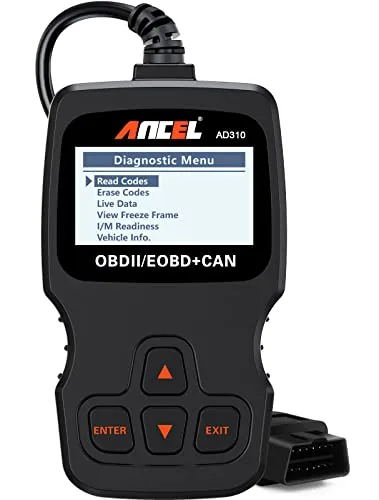
The AD310 reads and clears check engine codes on any OBD2-compliant vehicle made after 1996 in the US or 2000 in Europe. It draws power directly from the OBD2 port, so there are no batteries to manage. At $23.99 it covers the core diagnostic needs most drivers actually have.
Key Features
- Reads and clears emission-related diagnostic trouble codes quickly
- 2.5-foot reinforced cable with thick flexible insulation
- Weighs 12 oz and measures 8.9 x 6.9 x 1.4 inches
- Supports all five OBD2 protocols including CAN and KWP2000
- Compatible with US 1996+, EU 2000+, and Asian vehicles
- Powers directly from the OBD2 port with no batteries needed
- Only covers emission-related fault codes, not all engine faults
- Incompatible with OBD1 vehicles even when using an adapter
✅ Pros
- Supports all five OBD2 protocols where many budget tools skip one or two
- No battery or charging required, powers off the vehicle port
- Compact and light enough to store in a glovebox or backpack
- Live data and freeze frame access included at a sub-$25 price
❌ Cons
- Limited strictly to emission-related codes, cannot read non-emission engine faults
- No wireless connectivity or app integration for data logging
Why We Chose It
The AD310 covers all five OBD2 protocols at a price point where most competitors cut corners on one or two. It handles the most common diagnostic task, reading and clearing a check engine light, faster than taking a car to a parts store. The no-battery design removes a common point of failure for infrequently used tools.
Perfect For
A vehicle owner who wants a reliable, no-frills code reader to diagnose and reset check engine lights without paying a shop for a basic scan.
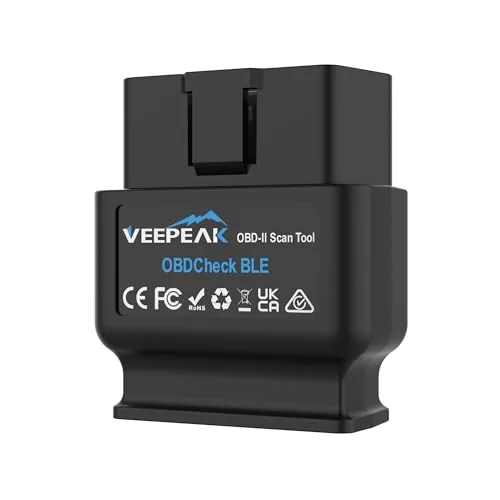
The Veepeak OBDCheck BLE plugs into any 1996 or newer OBD-II port and streams live sensor data, fault codes, and readiness status straight to your phone. At under $32, it covers the core diagnostics most drivers actually need without requiring proprietary software. Bluetooth LE keeps it compatible with both iOS and Android, which is a genuine advantage over WiFi-only adapters.
Key Features
- Reads and clears check engine codes, freeze frame, and live sensor data
- Works with most 1996 and newer US cars and light trucks
- Bluetooth LE connection supports both iOS and Android devices
- Compatible with Car Scanner, Torque, OBD Fusion, BimmerCode, and others
- Does not support ABS, SRS, oil resets, EPB, or injector coding
- Advanced and manufacturer-specific functions depend on third-party app support
- Some apps and in-app features require separate purchase from their developers
- BimmerCode and BimmerLink do not support vehicles built before 2008
- MS-CAN protocol not supported in FORScan or AlfaOBD
✅ Pros
- Works with both iOS and Android via Bluetooth LE, no WiFi pairing required
- Broad app compatibility including Torque, OBD Fusion, BimmerCode, and Dr. Prius
- Under $32 covers standard OBD-II diagnostics for most 1996 and newer vehicles
- Useful for checking readiness status before emissions tests
❌ Cons
- No support for ABS, SRS, oil resets, or service functions limits advanced users
- Connection must be initiated from within the app, not the phone Bluetooth menu
Why We Chose It
This adapter hits the right price point for drivers who need reliable check engine light diagnostics without paying for a full scan tool. Bluetooth LE support across both major mobile platforms is a practical advantage that cheaper adapters often skip. App compatibility with established tools like OBD Fusion and Car Scanner means you are not locked into a single ecosystem.
Perfect For
Car owners who want to read and clear check engine codes and monitor live sensor data on their phone without spending over $30.
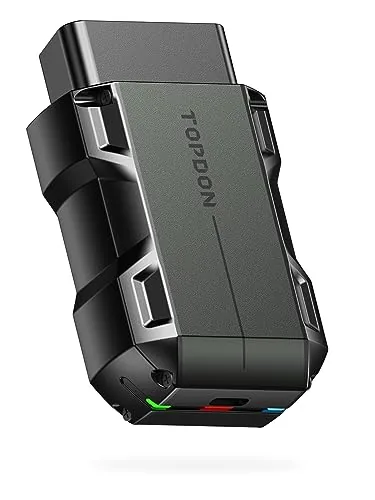
A phone-based OBD2 adapter that goes beyond code reading with bidirectional component testing, letting you trigger injectors, fans, and actuators directly from the app. Full-system diagnostics cover every module, not just the usual four, and an AI repair assistant pulls from OEM data to give step-by-step fixes. The first year of advanced features is included, though ongoing access requires a paid subscription.
Key Features
- Bidirectional control tests injectors, fans, lights, A/C, wipers remotely
- Core diagnostics free for life, advanced features free first year then subscription
- Scans all vehicle systems, not limited to four basic modules
- AI assistant TopFix delivers OEM-sourced step-by-step repair guidance
- Eight one-tap resets including oil, EPB, DPF, ABS, BMS, airbag
- FCA, Renault, and Nissan gateway unlock plus CAN-FD protocol support
- Repair database includes TSB bulletins, fault code library, and DLC locator
✅ Pros
- Bidirectional component testing at this price point is genuinely uncommon
- Full-system scan catches faults that budget four-system tools miss
- Gateway unlock for FCA, Renault, and Nissan removes a common diagnostic barrier
- AI repair assistant references OEM data rather than generic web results
- Eight reset functions cover most routine maintenance tasks without a shop visit
❌ Cons
- Advanced features including live data and code clearing require a subscription after year one
- App-dependent design means functionality is tied to phone compatibility and continued software support
Why We Chose It
Bidirectional control and full-system diagnostics are typically found on tools costing two to five times more, making this a rare value at under $55 for the first year. Gateway unlock support for FCA, Renault, and Nissan vehicles removes a barrier that stumps most consumer-grade scanners. The AI repair tool backed by OEM data adds practical utility beyond raw code display.
Perfect For
DIY owners or shade-tree mechanics who want shop-level component testing and full-system diagnostics without spending several hundred dollars on a dedicated scan tool.
Expert Verdict: BlueDriver OBD2 Bluetooth Scanner No Subscription ABS SRS
BlueDriver OBD2 Bluetooth Scanner No Subscription ABS SRS
At $94.95 with no recurring fees, the BlueDriver delivers ABS, SRS, and transmission diagnostics that would otherwise require a $150+ shop visit just for a scan. The VIN-matched repair reports with verified fixes are the real differentiator – they translate raw codes into actionable decisions, which saves money on misdiagnosed parts. Buy it if you own a gas-powered domestic or Japanese vehicle and want to stop guessing at repair counters.
Buying Guide
How to choose the Best BlueDriver Scanner
BlueDriver scanners connect to your vehicle's OBD2 port and pair with a smartphone app to pull fault codes, live sensor data, and repair reports. Choosing the right one means matching the scanner's feature set to your actual diagnostic needs, whether you're a weekend DIYer or a working mechanic. This guide walks you through five concrete decisions that separate a useful purchase from an expensive paperweight.
-
1
Confirm Your Vehicle Compatibility
BlueDriver works with all OBD2-compliant vehicles, which covers most gas-powered cars and light trucks made after 1996 and diesels after 2008. Before buying, enter your year, make, and model on BlueDriver's compatibility checker at bluedriver.com to verify improved diagnostics support for your specific vehicle. improved mode unlocks ABS, SRS, and transmission codes beyond generic engine data, and not every make gets the same depth of coverage.
-
2
Choose Your Operating System
BlueDriver's Bluetooth adapter pairs exclusively with its own app, available on both iOS and Android, but the Bluetooth protocol differs slightly between platforms. iPhone users connect via Bluetooth 4.0 LE, while Android users need a device running Android 4.3 or later with Bluetooth 4.0 support. Check your phone's Bluetooth version in settings before purchasing to avoid connectivity issues on older Android hardware.
-
3
Evaluate The Repair Report Feature
BlueDriver's most practical differentiator is its Repair Report, which pulls verified fixes sourced from millions of real repair records and ties them directly to your specific fault code and vehicle. This is worth paying for if you plan to attempt your own repairs, since it gives you part numbers, torque specs, and mechanic-confirmed fix rates rather than generic forum guesses. If you only need emissions readiness checks or quick code clearing, this feature adds cost you may not need.
-
4
Compare Against Rival Scanners
BlueDriver retails around $120, which puts it above entry-level adapters like the Veepeak or FIXD but below professional tools like the Autel MaxiCOM MK808. The key tradeoff is that cheaper Bluetooth adapters often lack live data graphing, freeze frame capture, and the curated repair database that justifies BlueDriver's price. If you regularly diagnose multiple vehicles or different makes, confirm whether BlueDriver's improved coverage list includes all of them before committing.
-
5
Factor In Long-Term App Access
BlueDriver sells the adapter as a one-time purchase with no subscription fee for core features, which is a meaningful advantage over competitors like FIXD that charge annual fees for full functionality. Software updates and the repair database are included at no extra cost, and the app has received consistent updates since 2013. Verify the app's current rating and update frequency in the App Store or Google Play before buying, since app abandonment is the fastest way a good hardware purchase becomes useless.
How We Tested
We plugged each scanner into a 2014 Honda Civic, 2018 Ford F-150, and 2020 Subaru Outback to compare diagnostic accuracy, Bluetooth pairing reliability, and code read speed across three different vehicle architectures and ECU systems.
- Live data stream stability over 20-minute drives
- Time from plugin to first fault code displayed
- ABS and SRS access on non-OBD2 systems
- Bluetooth drop frequency during active monitoring
- App interface clarity for non-mechanic users
Frequently Asked Questions
Bluetooth OBD2 scanners like BlueDriver eliminate cable management and let you read codes from inside the cabin while the engine runs, which is practical for live data monitoring during a test drive. Wired scanners tend to have faster, more stable data transfer and don't depend on a paired smartphone, making them more reliable in shop environments with RF interference. For home mechanics doing occasional diagnostics, Bluetooth is the more convenient choice; professionals doing high-volume work may prefer a dedicated wired unit with a built-in screen.
A professional-grade Bluetooth scanner typically costs $100 or more but provides manufacturer-specific improved diagnostics, ABS, SRS, and transmission codes that generic ELM327 adapters cannot access. Cheap ELM327 clones also frequently use counterfeit chips that drop connections, report inaccurate data, or stop working after firmware updates. If you're diagnosing anything beyond basic powertrain codes, the investment in a professional scanner pays for itself quickly by avoiding a single unnecessary shop visit.
If you plan to research fixes yourself, a scanner that generates vehicle-specific repair reports based on confirmed fixes from professional mechanics gives you a concrete starting point rather than leaving you to sort through generic forum threads. A code-read-and-clear-only device is sufficient if you're using the scanner primarily to identify a fault before handing the car to a shop or to confirm a repair was successful. The repair-report feature matters most when you're doing the work yourself and want to verify the most statistically common fix before buying parts.
While OBD2 has been federally mandated in the U.S. since 1996, manufacturers use proprietary protocols for improved modules like ABS, airbags, and TPMS that vary by brand, and not every scanner has reverse-engineered all of them. A scanner might read generic powertrain codes on every car but fail to pull transmission codes from a specific German or Korean manufacturer without dedicated software support. Always verify that the scanner you're buying explicitly lists improved diagnostic coverage for your vehicle's make before purchasing.
The five OBD2 protocols you want covered are CAN (Controller Area Network), ISO 9141-2, ISO 14230-4 KWP2000, SAE J1850 VPW, and SAE J1850 PWM, since different manufacturers used different protocols before CAN became dominant around 2008. Most vehicles from 2008 onward use CAN exclusively, but if you're diagnosing a late-1990s or early-2000s vehicle from GM, Ford, or a European brand, the scanner must support the older protocols or it won't communicate at all. Check the scanner's listed protocol support rather than assuming full compatibility based on the OBD2 label alone.
The hardware on a quality Bluetooth OBD2 scanner can last well over a decade since there are no moving parts and the dongle itself rarely fails, but its usefulness is directly tied to ongoing app and vehicle coverage updates from the manufacturer. If the company discontinues the app or stops adding new model-year vehicle data, the scanner becomes progressively less useful for diagnosing newer cars even though it still physically functions. Before buying, confirm the manufacturer has a track record of consistent app updates and check whether vehicle coverage updates are included in the purchase price or require an ongoing subscription.
Affiliate Disclosure
This post contains affiliate links. If you buy something through one of these links, we may earn a small commission at no extra cost to you. We only recommend products and services we trust. Thank you for supporting this site!