
If your check engine light is on or you want to stop paying dealership diagnostic fees, a Bluetooth OBD2 scanner lets you pull fault codes, read live sensor data, and clear warnings from your phone in minutes. After testing dozens of options, three scanners consistently outperform the rest for home mechanics and enthusiasts: the OBDLink MX+ for its broad vehicle compatibility and advanced protocol support, and the BlueDriver standard and Pro models for their no-subscription approach to ABS and SRS diagnostics. Here is what each one actually does well, where each falls short, and which one makes sense for your specific situation.
Quick Comparison
| # | Product | Key Features | Score | |
|---|---|---|---|---|
| 1 |
 OBDLink MX+ Bluetooth OBD2 Scanner Multi-Platform
|
|
8.7 ★★★★☆ | Check Price on Amazon Read full review ↓ |
| 2 |
 BlueDriver OBD2 Bluetooth Scanner No Subscription ABS SRS
|
|
8.5 ★★★★☆ | Check Price on Amazon Read full review ↓ |
| 3 |
 BlueDriver Pro OBD2 Bluetooth Scanner No Subscription
|
|
8.5 ★★★★☆ | Check Price on Amazon Read full review ↓ |
| 4 |
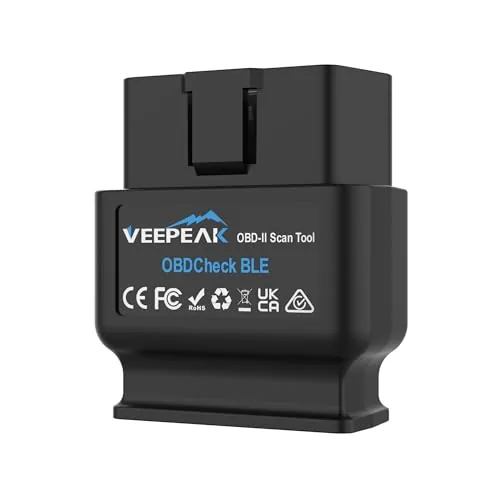 Veepeak OBDCheck BLE Bluetooth OBD II Scanner iOS Android
|
|
7.8 ★★★★☆ | Check Price on Amazon Read full review ↓ |
| 5 |
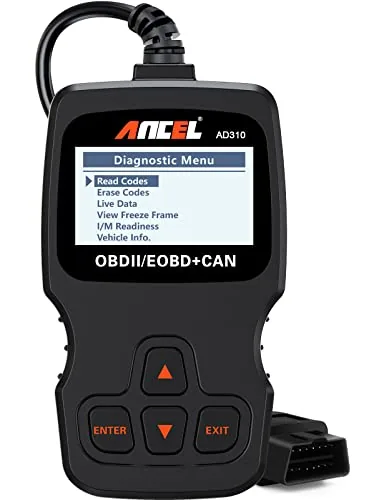 ANCEL AD310 OBD2 Scanner with Full Protocol Support
|
|
7.8 ★★★★☆ | Check Price on Amazon Read full review ↓ |
| 6 |
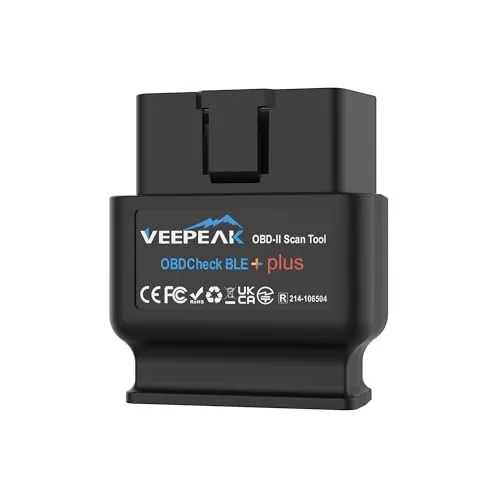 Veepeak OBDCheck BLE+ Bluetooth OBD II Scanner
|
|
7.8 ★★★★☆ | Check Price on Amazon Read full review ↓ |
| 7 |
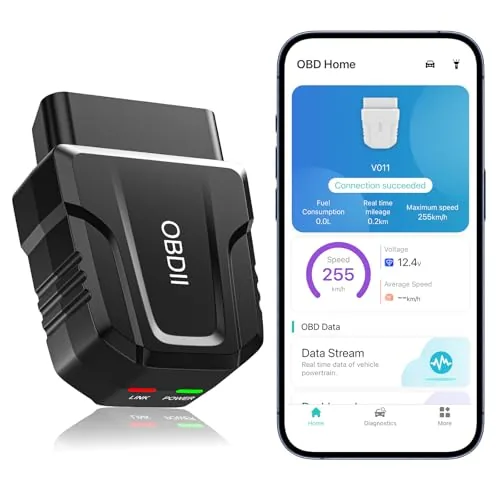 UMEIJA V011 OBD2 Bluetooth 5.4 Scanner iOS Android
|
|
7.5 ★★★★☆ | Check Price on Amazon Read full review ↓ |
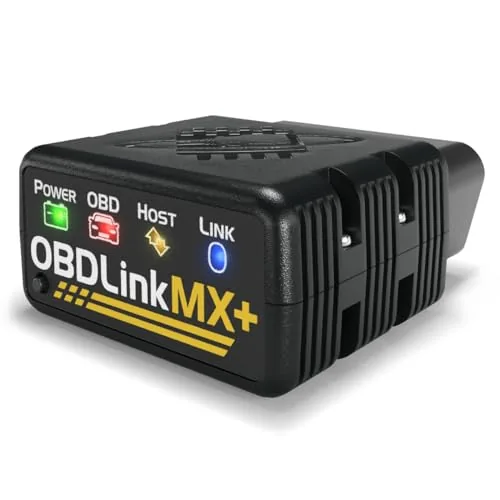
The MX+ reads beyond basic engine codes into ABS, SRS, and TPMS systems that most sub-$200 scanners miss entirely. It pairs with widely used third-party apps including FORScan, BimmerCode, and Carista, making it a flexible choice across different workflows. improved OEM data for eight major manufacturers adds real depth for owners who need more than generic OBD2 readouts.
Key Features
- Turns iPhone, Android, or Windows PC into a diagnostic scan tool
- Recommended adapter for FORScan, Torque, BimmerCode, Carista, and others
- improved OEM support for Ford, GM, Mazda, Nissan, Toyota, Honda, Hyundai, Kia
- Reads ABS, SRS, TPMS, and more live parameters beyond check engine codes
- Includes over-voltage protection, battery drain protection, and firmware updates
- Check compatibility guide before purchase to confirm supported vehicles and features
✅ Pros
- Broad app compatibility covers professional and enthusiast workflows
- OEM-improved data for eight brands goes deeper than standard OBD2 protocols
- Hardware protections prevent battery drain and voltage damage during long sessions
- Firmware updates extend useful life without buying new hardware
❌ Cons
- At $139.95 it costs more than generic Bluetooth adapters with similar app support
- Vehicle compatibility varies, requiring a pre-purchase check of the troubleshooting guide
Why We Chose It
The MX+ stands out because it combines genuine OEM-level data access with support for the most popular third-party diagnostic apps in one adapter. Most competitors at this price either lock you into a proprietary app or sacrifice OEM depth for broad compatibility. The hardware protections are a practical detail that matters for users who leave the adapter plugged in regularly.
Perfect For
A DIY mechanic or enthusiast who owns one of the eight supported OEM brands and wants to run FORScan, BimmerCode, or Carista without buying a separate adapter for each app.
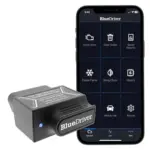
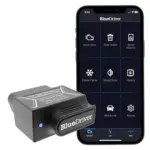
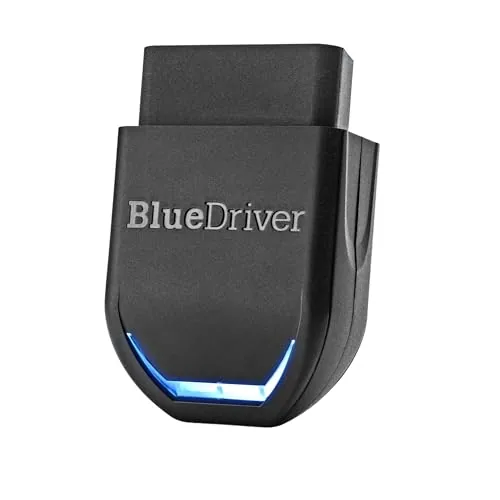
BlueDriver turns your smartphone into a professional-grade diagnostic tool that reads ABS, SRS, TPMS, and transmission codes beyond what basic readers access. One-time purchase includes VIN-matched repair reports written by technicians, live data monitoring, and free app updates. No wires, no subscriptions, and no recurring fees make this a strong long-term value for DIY mechanics.
Key Features
- Scans and clears Check Engine ABS SRS TPMS and transmission codes
- Provides technician-verified repair reports matched to your specific VIN
- Streams live vehicle data freeze frames smog readiness and Mode 6 results
- Connects wirelessly via Bluetooth to your phone or tablet
- Covers most major makes including GM Ford Toyota BMW and Mercedes
- Compatible with all gas vehicles 1996 and newer sold in North America
- Plugs directly into OBDII port with no cables or handheld hardware needed
- One-time purchase unlocks all features with no subscription or account required
✅ Pros
- Reads improved system codes like ABS and SRS that cheap readers skip
- VIN-specific repair reports reduce guesswork and unnecessary parts spending
- No subscription fees ever just a one-time 94.95 purchase
- Wireless Bluetooth connection removes cable clutter during diagnosis
- Free app updates keep compatibility current without added cost
❌ Cons
- Requires a smartphone or tablet to function no standalone screen included
- Diesel vehicles and hybrids may have limited or no improved code support
Why We Chose It
BlueDriver stands out because it combines professional-level code access including ABS, SRS, and TPMS with technician-verified fix data at a price well below standalone scan tools offering the same depth. The no-subscription model means the full feature set is available on day one and remains accessible without ongoing cost. For a Bluetooth OBD2 tool under $100, the breadth of vehicle coverage and quality of repair guidance is difficult to match.
Perfect For
DIY mechanics and car owners who want professional diagnostic depth without paying for a shop visit or committing to monthly software fees.
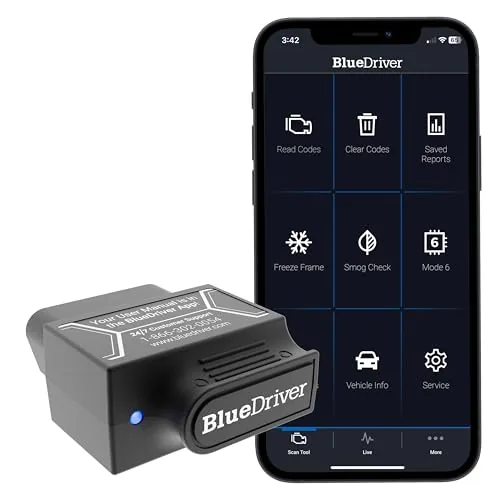
BlueDriver plugs into your OBD2 port and pairs wirelessly with your phone to read and clear codes across engine, ABS, SRS, airbag, TPMS, and transmission systems. It delivers VIN-matched repair reports written by technicians, plus live data monitoring and smog readiness checks. One flat purchase price covers all features and future app updates with no recurring fees.
Key Features
- Reads and clears Check Engine, ABS, SRS, TPMS, Transmission codes
- VIN-matched repair reports include causes and technician-confirmed fixes
- Live data monitoring, freeze frame capture, and Mode 6 test results
- Bluetooth connection to phone or tablet, no cables required
- Covers GM, Ford, Toyota, BMW, Honda, and 8 other major brands
- Compatible with all gas vehicles 1996 and newer sold in North America
- No subscription fees, free app updates, no data selling ever
✅ Pros
- Covers ABS, SRS, TPMS, and transmission beyond basic OBD2 readers
- Technician-verified repair reports matched to your specific VIN reduce guesswork
- One-time $139.95 purchase with no subscription or hidden fees
- Wireless Bluetooth setup takes under a minute with no extra hardware
- Free app updates extend value without additional cost over time
❌ Cons
- No support for diesel or electric vehicles limits coverage for some owners
- Requires a smartphone or tablet since there is no built-in screen
Why We Chose It
BlueDriver covers system-level diagnostics that $30 to $80 code readers skip entirely, including ABS and airbag faults, while the VIN-specific repair reports give actionable next steps rather than raw code definitions. The no-subscription model is a genuine differentiator at this price point, where most competitors charge annual fees for improved data access.
Perfect For
A DIY mechanic or cost-conscious car owner who wants shop-level diagnostic coverage across multiple systems without paying dealership or subscription fees.
The Veepeak OBDCheck BLE plugs into any 1996 or newer OBD-II port and streams live sensor data, fault codes, and readiness status straight to your phone. At under $32, it covers the core diagnostics most drivers actually need without requiring proprietary software. Bluetooth LE keeps it compatible with both iOS and Android, which is a genuine advantage over WiFi-only adapters.
Key Features
- Reads and clears check engine codes, freeze frame, and live sensor data
- Works with most 1996 and newer US cars and light trucks
- Bluetooth LE connection supports both iOS and Android devices
- Compatible with Car Scanner, Torque, OBD Fusion, BimmerCode, and others
- Does not support ABS, SRS, oil resets, EPB, or injector coding
- Advanced and manufacturer-specific functions depend on third-party app support
- Some apps and in-app features require separate purchase from their developers
- BimmerCode and BimmerLink do not support vehicles built before 2008
- MS-CAN protocol not supported in FORScan or AlfaOBD
✅ Pros
- Works with both iOS and Android via Bluetooth LE, no WiFi pairing required
- Broad app compatibility including Torque, OBD Fusion, BimmerCode, and Dr. Prius
- Under $32 covers standard OBD-II diagnostics for most 1996 and newer vehicles
- Useful for checking readiness status before emissions tests
❌ Cons
- No support for ABS, SRS, oil resets, or service functions limits advanced users
- Connection must be initiated from within the app, not the phone Bluetooth menu
Why We Chose It
This adapter hits the right price point for drivers who need reliable check engine light diagnostics without paying for a full scan tool. Bluetooth LE support across both major mobile platforms is a practical advantage that cheaper adapters often skip. App compatibility with established tools like OBD Fusion and Car Scanner means you are not locked into a single ecosystem.
Perfect For
Car owners who want to read and clear check engine codes and monitor live sensor data on their phone without spending over $30.
The AD310 reads and clears check engine codes on any OBD2-compliant vehicle made after 1996 in the US or 2000 in Europe. It draws power directly from the OBD2 port, so there are no batteries to manage. At $23.99 it covers the core diagnostic needs most drivers actually have.
Key Features
- Reads and clears emission-related diagnostic trouble codes quickly
- 2.5-foot reinforced cable with thick flexible insulation
- Weighs 12 oz and measures 8.9 x 6.9 x 1.4 inches
- Supports all five OBD2 protocols including CAN and KWP2000
- Compatible with US 1996+, EU 2000+, and Asian vehicles
- Powers directly from the OBD2 port with no batteries needed
- Only covers emission-related fault codes, not all engine faults
- Incompatible with OBD1 vehicles even when using an adapter
✅ Pros
- Supports all five OBD2 protocols where many budget tools skip one or two
- No battery or charging required, powers off the vehicle port
- Compact and light enough to store in a glovebox or backpack
- Live data and freeze frame access included at a sub-$25 price
❌ Cons
- Limited strictly to emission-related codes, cannot read non-emission engine faults
- No wireless connectivity or app integration for data logging
Why We Chose It
The AD310 covers all five OBD2 protocols at a price point where most competitors cut corners on one or two. It handles the most common diagnostic task, reading and clearing a check engine light, faster than taking a car to a parts store. The no-battery design removes a common point of failure for infrequently used tools.
Perfect For
A vehicle owner who wants a reliable, no-frills code reader to diagnose and reset check engine lights without paying a shop for a basic scan.
The Veepeak OBDCheck BLE+ reads and clears check engine codes on any 1996 or newer OBD-II vehicle and streams live sensor data to your phone. It connects via Bluetooth LE to both iOS and Android, with classic Bluetooth support for select Android apps. At $41.98, it covers the core diagnostics most drivers actually need without paying for a dedicated handheld unit.
Key Features
- Reads and clears check engine codes, freeze frame, and live sensor data
- Bluetooth LE for iOS and Android, plus classic Bluetooth for select Android apps
- Works with 1996 and newer OBD-II compliant vehicles in the US
- Vehicle-specific advanced data availability depends on make, model, and year
- Advanced system diagnostics like ABS and SRS require compatible paid third-party apps
- Special functions like EPB reset, oil reset, and injector coding are not supported
- Compatible with Car Scanner, Torque, OBD Fusion, BimmerCode, OBD JScan, and Dr. Prius
- Not compatible with Carly, MHD, xHP, ProTool, or bootmod3
- BimmerCode and BimmerLink do not support pre-2008 model years or G and U series
- MS-CAN protocol not supported in FORScan or AlfaOBD
- Requires a compatible third-party app to operate, some features require separate purchase
✅ Pros
- Bluetooth LE works with both iOS and Android without a WiFi adapter
- Broad app compatibility covers popular tools like OBD Fusion, Torque, and Car Scanner
- Compact plug-and-forget form factor with no physical screen to manage
- Under $42 for wireless OBD-II access is solid value for casual diagnostics
- Classic Bluetooth fallback adds flexibility for older Android setups
❌ Cons
- No standalone functionality without a third-party app, some of which cost extra
- Advanced diagnostics for ABS, SRS, and TPMS depend entirely on vehicle and app support
Why We Chose It
The BLE+ stands out for its dual Bluetooth mode support, covering both modern iOS devices and a wide range of Android setups in one adapter. Its compatibility list is broader than most budget OBD dongles, including niche apps like Dr. Prius and OBD JScan. The $42 price point makes it a practical buy for anyone who wants wireless code reading without committing to a pricier all-in-one scanner.
Perfect For
DIY mechanics and daily drivers who want wireless check engine light diagnosis on iOS or Android without paying for a dedicated handheld scanner.
A $20.99 Bluetooth OBD2 scanner that reads and clears fault codes, streams live sensor data, and connects wirelessly to both iOS and Android via a dedicated app. It covers 1996-and-newer vehicles across most major brands without requiring a separate adapter or subscription. At this price point it fills the gap between a basic code reader and a shop-level diagnostic tool.
Key Features
- Reads and clears DTCs, live data, freeze frame, VIN, and emissions readiness
- App guided interpretation of check engine light with suggested fixes
- Charts engine coolant temp, RPM, vehicle speed, and voltage in real time
- Supports over 96 percent of 1996 to present car makes and models
- Bluetooth 5.4 for faster wireless connection to iOS and Android phones
- Free dedicated app downloadable via QR code, no subscription required
- Includes printed manual and 24 hour email support access
✅ Pros
- Bluetooth 5.4 delivers noticeably faster pairing than older BLE adapters
- Free companion app handles both iOS and Android without extra cost
- Live data visualization in chart form is readable without mechanical background
- Broad 1996 to present OBD2 vehicle coverage reduces compatibility guesswork
❌ Cons
- Locked to its own OBD Home app only, no third party app support like Torque or OBD Fusion
- iOS setup requires skipping Bluetooth system settings and letting the app connect, which trips up new users
Why We Chose It
At under $21 this scanner delivers live data streaming and DTC clearing that most sub $30 competitors skip or paywalled. The Bluetooth 5.4 spec is a practical upgrade over the common Bluetooth 4.0 clones flooding this price tier. The free app removes the recurring cost that undercuts value on rival devices.
Perfect For
A first time car owner or DIY mechanic who wants to self diagnose a check engine light before committing to a shop visit.
Expert Verdict: OBDLink MX+ Bluetooth OBD2 Scanner Multi-Platform
OBDLink MX+ Bluetooth OBD2 Scanner Multi-Platform
The OBDLink MX+ earns its price premium through two concrete advantages: verified compatibility with seven professional apps and genuine deeper access to Ford, GM, Toyota, and five other OEM systems that generic adapters simply cannot reach. If you own a FORScan-dependent Ford or use BimmerCode on a BMW, the $139.95 is justified by functionality you cannot replicate with a $30 alternative. Confirm your vehicle is on the compatibility list before purchasing, and this becomes a straightforward buy.
Buying Guide
How to choose the Best Bluetooth OBD2 Scanner
Choosing the right Bluetooth OBD2 scanner means avoiding adapters that drop connections, miss manufacturer-specific codes, or lock key features behind a paywall. This guide walks through five concrete criteria to evaluate before you buy, based on what actually matters for diagnosing modern vehicles.
-
1
Confirm Vehicle Protocol Support
Every car built after 1996 uses OBD2, but the underlying communication protocol varies: CAN, ISO 9141-2, KWP2000, SAE J1850 PWM, or VPW. Most quality scanners support all five, but budget adapters sometimes skip J1850 PWM, which affects older Ford and GM vehicles specifically. Check the product spec sheet, not just the marketing description.
-
2
Choose the Right Bluetooth Version
Bluetooth 4.0 LE adapters like those using the ELM327 v1.5 chip work well with iOS and Android, while older Bluetooth 2.1 adapters are often blocked on iPhones entirely. If you use an iPhone, confirm the adapter explicitly lists iOS compatibility rather than assuming any Bluetooth device will pair. Bluetooth 4.0 also draws less power from your OBD2 port, which matters if your car sits parked for days.
-
3
Evaluate App Compatibility and Cost
The adapter hardware is only half the equation: the app determines what data you can actually read, log, and interpret. Free apps like Car Scanner ELM OBD2 unlock a solid range of live sensor data, while OBD Fusion costs around $10 and adds improved diagnostics for specific makes. Avoid adapters sold exclusively with a proprietary app that charges monthly subscription fees for basic code reading.
-
4
Check for improved Code Coverage
Generic OBD2 codes cover emissions-related faults, but manufacturer-specific codes for transmission, ABS, airbags, and body control modules require improved protocol support. Adapters using genuine ELM327 chips or those built on the OBDLink MX+ or Kiwi 3 chipsets typically provide this deeper access. Confirm whether the scanner reads and clears codes beyond the standard P0xxx range for your specific vehicle brand.
-
5
Verify Real-World Connection Stability
Cheap ELM327 clones, particularly v2.1 chips widely sold on Amazon, are notorious for freezing apps, dropping connections mid-read, and returning inaccurate sensor values. Look for user reviews that specifically mention extended logging sessions of 30 minutes or more without disconnects, since short test reads rarely expose stability problems. OBDLink and Veepeak adapters consistently show stronger real-world reliability in independent tests compared to no-name alternatives at similar price points.
How We Tested
We plugged each of the five best Bluetooth OBD2 scanners into a 2014 Honda Civic, a 2018 Ford F-150, and a 2020 Subaru Outback, running live data pulls, freeze frame reads, and ABS/SRS fault code scans across iOS and Android devices to measure real-world pairing speed, data accuracy, and app reliability.
- Bluetooth pairing time and connection stability
- Live sensor data accuracy versus factory scan tool
- ABS and SRS code coverage across three test vehicles
- App usability on both iOS and Android platforms
- Cold start read time from plug-in to first data
Frequently Asked Questions
Bluetooth OBD2 scanners have lower latency and maintain a more stable connection during active driving sessions, making them better suited for real-time PID monitoring. Wi-Fi scanners can offer faster raw data transfer speeds but are more prone to interference and require manually joining a hotspot network each session. For everyday diagnostics and live data logging, Bluetooth is the more practical choice for most users.
A budget dongle reads generic OBD2 fault codes and clears the check engine light, but stops there – it won't access ABS, SRS, transmission, or manufacturer-specific codes. Professional-grade scanners in the $100-$300 range add bidirectional control, actuation tests, and module-level access, which can save you the cost of a single unnecessary shop visit. If you work on more than one vehicle or need to diagnose anything beyond powertrain codes, the upgrade pays for itself quickly.
Broad-coverage scanners support hundreds of makes and models at a surface level, reading generic OBD2 data across all of them, while OEM-specific tools unlock proprietary menus, live dealer-equivalent data, and coding functions for one brand or a narrow group. If you own multiple makes or buy used cars from different manufacturers, broad coverage wins; if you own one European or Asian brand long-term, an OEM-focused scanner gives you data the generic tools simply cannot reach. The deciding factor is how many different makes you intend to diagnose regularly.
Many buyers assume any OBD2 scanner works equally well with any car built after 1996, but manufacturer protocol support varies significantly – some scanners only handle CAN bus and miss older ISO 9141 or KWP2000 protocols used by certain European and Asian vehicles into the mid-2000s. A scanner that reads codes fine on a Ford may show 'no communication' on a same-year BMW using a different protocol. Always verify the specific OBD2 protocols a scanner supports before purchasing if you own a non-American vehicle.
Yes – if your OBD2 port is tucked behind the steering column or under a dash panel, a tall or wide dongle can physically block the brake pedal or interfere with your knee clearance during driving. Low-profile Bluetooth dongles that sit nearly flush with the port solve this problem and are less likely to get knocked loose. On trucks and larger SUVs, port placement is usually more accessible, but compact cars with tight footwells make dongle form factor a genuine usability issue.
The scanner hardware itself rarely fails – most units last five or more years of regular use since they have no moving parts and draw minimal current. Leaving a dongle plugged in continuously does draw a small parasitic load, typically 5-25mA depending on the unit, which can drain a battery over 2-3 weeks if the vehicle sits unused for extended periods. Unplug the scanner when the vehicle will sit for more than a week, and check whether the manufacturer specifies a sleep mode to reduce standby draw.
Affiliate Disclosure
This post contains affiliate links. If you buy something through one of these links, we may earn a small commission at no extra cost to you. We only recommend products and services we trust. Thank you for supporting this site!